Events
The Events category contains blocks that start scripts when a condition happens.
Core events
When program started (Beginner)
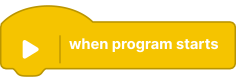
Starts this script once when the profile program begins.
- Trigger: program launch
- Typical use: initialize variables, default motor states, startup sounds
When (Advanced)
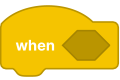
Runs when a selected condition becomes true.
- Trigger: condition-based
- Typical use: branch logic based on runtime state
When timer greater than (Advanced)
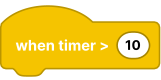
Runs when timer value passes a threshold.
- Trigger: elapsed time
- Typical use: delayed actions, timed phases
When message received (Guru)
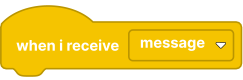
Starts a script when a matching broadcast message is received.
- Trigger: message channel
- Typical use: synchronize multiple scripts
Broadcast (Guru)
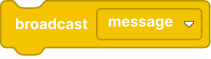
Sends a message to all scripts listening for that message.
- Trigger: immediate send
- Typical use: notify other scripts without waiting
Broadcast and wait (Guru)
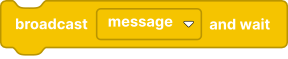
Sends a message and pauses this script until listeners complete.
- Trigger: immediate send + wait
- Typical use: staged flows where order matters
Hub events
Hub button pressed (Beginner)

Runs when the main button on the hub is pressed.
- State options:
pressed,released,changed - Note: available button options may differ by hub model (different hubs can expose different button sets).
Hub connection changed (Beginner)
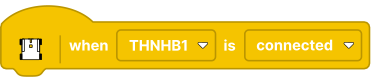
Runs when the hub connection state changes (connected or disconnected).
- Trigger: hub connection status change
- Typical use: reconnection handling and safe fallback behavior after link loss
Hub battery changed (Beginner)
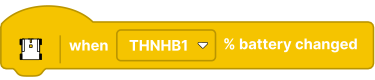
Runs when reported hub battery level changes.
- Trigger: battery level update (for hubs that report battery state)
- Typical use: low-battery warning logic and power-saving mode switching
Hub accelerometer changed (Guru)

Runs when acceleration values change.
Hub tilt changed (Beginner)

Runs when tilt value changes.
- Angle options:
any,pitch,roll,yaw - Note:
yawis available only on hubs that provide yaw data.
Hub orientation changed (Beginner)
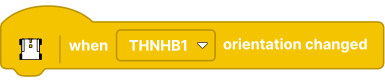
Runs when orientation state changes (for example, front/up/down/left/right).
Sensor port events
Technic color sensor event (Beginner)
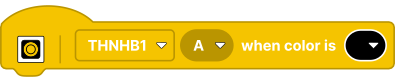
Runs when the Technic color sensor reports a selected color.
Technic distance sensor event (Beginner)

Runs when Technic distance sensor values match the selected condition.
- Compare options:
closer than,farther than,exactly at - Unit options:
mm,cm,inch,% - Note: available units can depend on sensor mode and connected device.
BOOST sensor distance event (Beginner)

Runs when the BOOST distance sensor reaches the chosen threshold/condition.
- Compare options:
closer than,farther than,exactly at - Unit options:
%,cm,inch
BOOST sensor color event (Beginner)
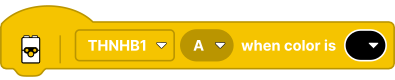
Runs when the BOOST sensor detects a selected color/value.