Control
Control blocks manage execution flow: waiting, loops, branching, and stopping scripts.
Wait blocks
Wait (Beginner)

Pauses the current script for a specified time.
Wait until (Advanced)

Pauses the current script until a condition becomes true.
Loop blocks
Repeat (Advanced)
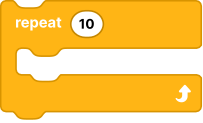
Runs nested blocks a fixed number of times.
Repeat until (Advanced)
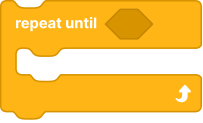
Runs nested blocks repeatedly until a condition becomes true.
Forever (Advanced)
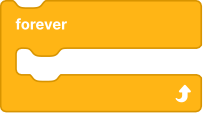
Runs nested blocks continuously until the program or script is stopped.
Branch blocks
If (Beginner)
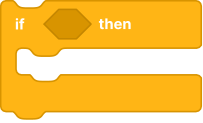
Runs nested blocks only when the condition is true.
If / Else (Advanced)
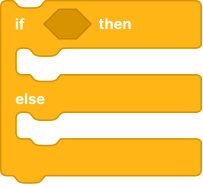
Runs one branch when the condition is true, otherwise runs the alternative branch.
Do this and this (Guru)
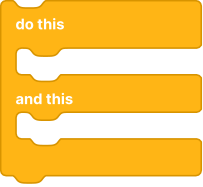
Runs two block stacks in sequence as part of one control flow operation.
Stop blocks
Stop (Beginner)

Stops script execution (scope depends on selected stop option).
- Stop options:
all,this stack,and exit program
Stop other stacks (Guru)

Stops all other running stacks while allowing the current stack to continue.
Hub/control utility blocks
Set connect (Beginner)

Controls hub connection state from control flow logic.
- Action options:
connect,disconnect
Set hub configuration (Advanced)

Sets the selected hub to one of its supported configuration profiles.
- Available only for hubs that expose hub configuration options.
- Typical use: switch a configurable hub, such as Technic Move Hub, to a different stored configuration before running the next blocks.
Hub configuration (Advanced)

Returns the current configuration of the selected hub.
- Type: reporter block
- Output format options:
text,index - Available only for hubs that expose hub configuration options.
- Returns
NaNwhen the selected hub is not connected or no configuration is available.
Is connected (Beginner)

Returns whether the hub is currently connected.
- Type: boolean reporter block
BuWizz 2 set power mode (Beginner)

Sets BuWizz 2 hub power mode.
- Mode options:
Slow,Normal,Fast,Ludicrous
BuWizz 2 get power mode (Guru)

Returns the currently active BuWizz 2 power mode.
- Output format options:
text,index
MouldKing set control channel (Advanced)

Sets active control channel for supported MouldKing hub/controller.
- Channel options:
A,B,C
MouldKing get control channel (Advanced)

Returns current active control channel for supported MouldKing hub/controller.
- Output format options:
text,index