Technic Move Hub Configurations
Overview
Technic Move Hub introduced a unique feature in the LEGO Powered Up hub family: the hub can change its behavior depending on the configuration currently applied to it.
MOCPilot lets you change the Technic Move Hub configuration so the hub behavior matches the official LEGO set you want to control.
Supported configurations
At this moment, these Technic Move Hub configurations are known:
- Porsche GT4 e-Performance
- Lamborghini Revuelto
- Batmobile™ Tumbler
Change configuration from My Bluetooth Hubs
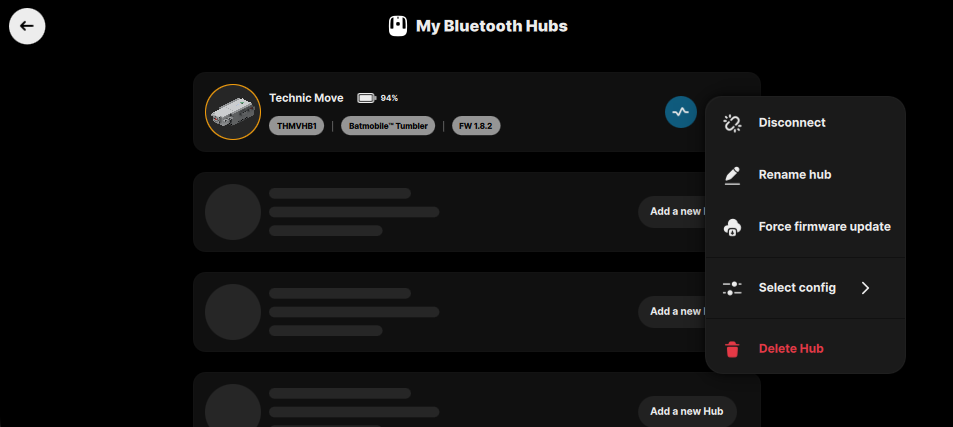
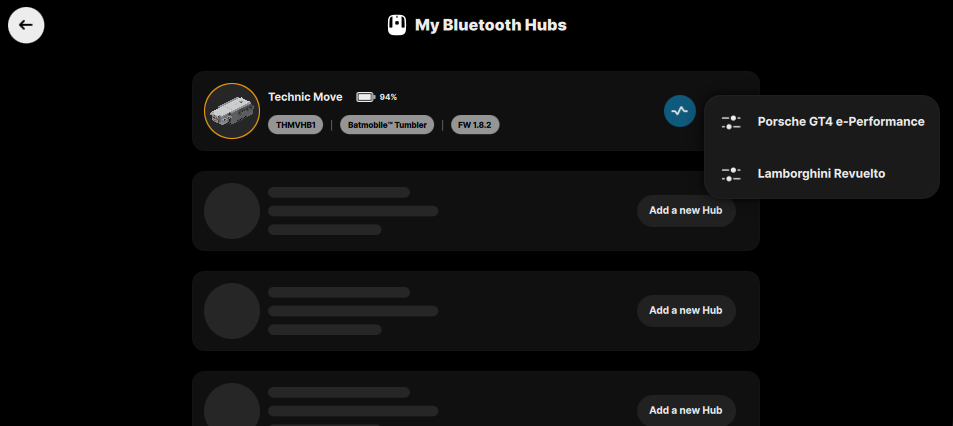
You can change the configuration from the My Bluetooth Hubs page:
- Open My Bluetooth Hubs.
- Find the Technic Move Hub.
- Open the hub context menu.
- Select Select config.
- Choose the required configuration.
- Confirm the reconfiguration dialog.
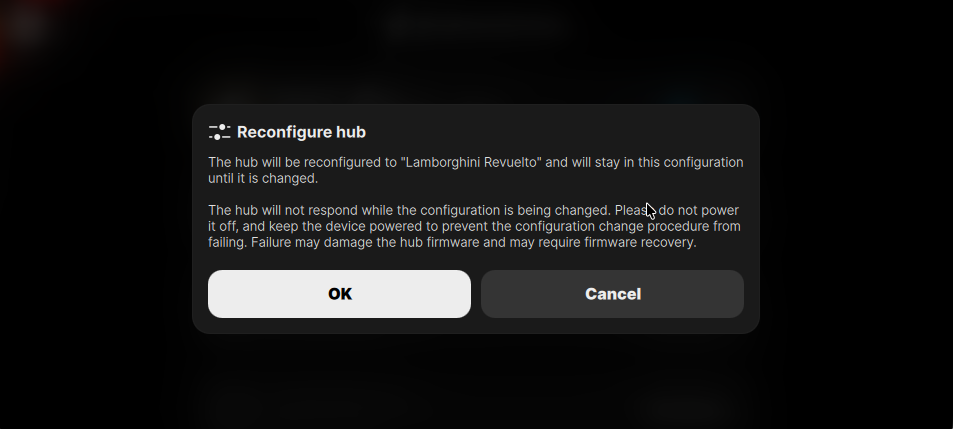
Changing the hub configuration flashes a subprogram to the hub and is similar to a firmware update process.
Keep the hub powered on during the whole process. Keep your phone, tablet, or computer powered on and close to the hub so the Bluetooth connection stays stable. Do not close MOCPilot, turn off Bluetooth, or power off the hub while the configuration is being changed.
Interrupting the configuration change may damage the hub firmware. If that happens, the hub may need firmware recovery before it can be used again. Follow the Recovery hub firmware guide if recovery is required.
During reconfiguration, the hub does not respond to normal commands. Its LED blinks with a stepped colored indication until the process is finished. After the new configuration is applied, the hub is reinitialized.
Configuration blocks
MOCPilot also includes blocks for reading and changing the Technic Move Hub configuration during a program.
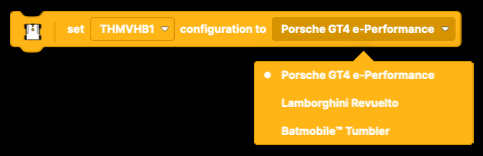
Set hub configuration

The Set hub configuration block changes the selected hub to one of its supported configuration profiles.
- Hub selector: chooses the hub to reconfigure.
- Configuration selector: chooses the target configuration.
- Available configurations for Technic Move Hub: Porsche GT4 e-Performance, Lamborghini Revuelto, and Batmobile™ Tumbler.
See the Set hub configuration block documentation.
Hub configuration

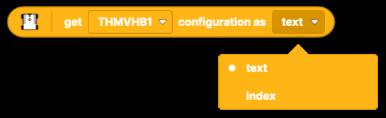
The Hub configuration block reports the current configuration of the selected hub.
- Hub selector: chooses the hub to read.
- Output format: text returns the configuration name.
- Output format: index returns the configuration index, which is useful for comparisons in conditions.
See the Hub configuration block documentation.
Power pulse

The Power pulse block sends a power pulse command to the selected Technic Move Hub. This block works only when the Technic Move Hub is configured to Batmobile™ Tumbler.
When it runs, the hub starts the motors with the maximum available power and speed for a short time, usually about 1-2 seconds.
See the Power pulse block documentation.
Change configuration during program runtime
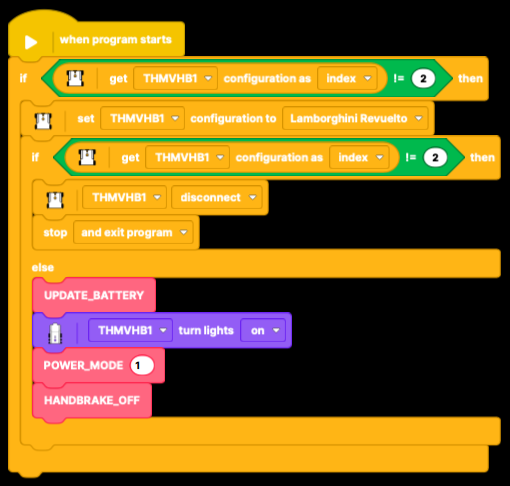
It is also possible to change the Technic Move Hub configuration while a program is running.
The common approach is:
- Read the current hub configuration.
- Compare it with the configuration required by the profile.
- If the configuration is different, set the required configuration.
- Read the configuration again after reconfiguration.
- Continue only when the hub reports the expected configuration.
- Disconnect or stop the program if the required configuration was not applied.
The prebuilt profile that uses this hub can be used as a reference for this approach.