My Blocks
My Blocks let you define your own custom reusable block. This category is conceptually similar to creating a function in traditional programming: define behavior once, then call it many times.
Core My Blocks
Make a Block (Guru)
Creates a new custom block definition.
- Type: definition/setup block
- Typical use: group repeated logic into one named block
MyBlock (Guru)
Calls a previously created custom block.
- Type: stack block (custom command call)
- Typical use: reuse the same logic in multiple places without duplicating block stacks
Variadic examples
These examples show custom My Blocks with different argument signatures.




Example usage in program stack
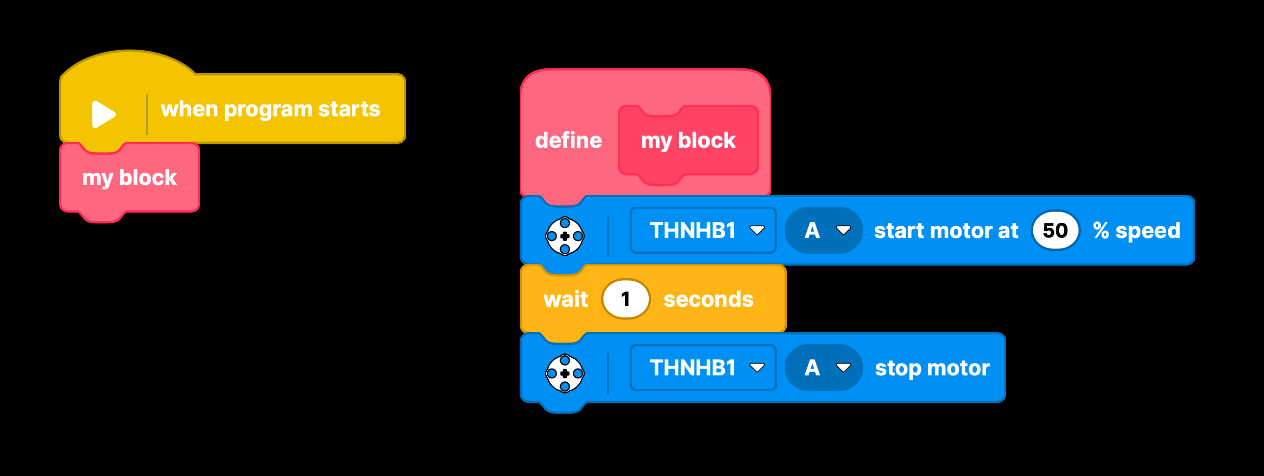
This example shows a custom block call attached under when program starts, while the define my block stack contains the reusable motor logic.
- Typical flow: call custom block from event stacks
- Benefit: one definition, many call sites
My Block editor view
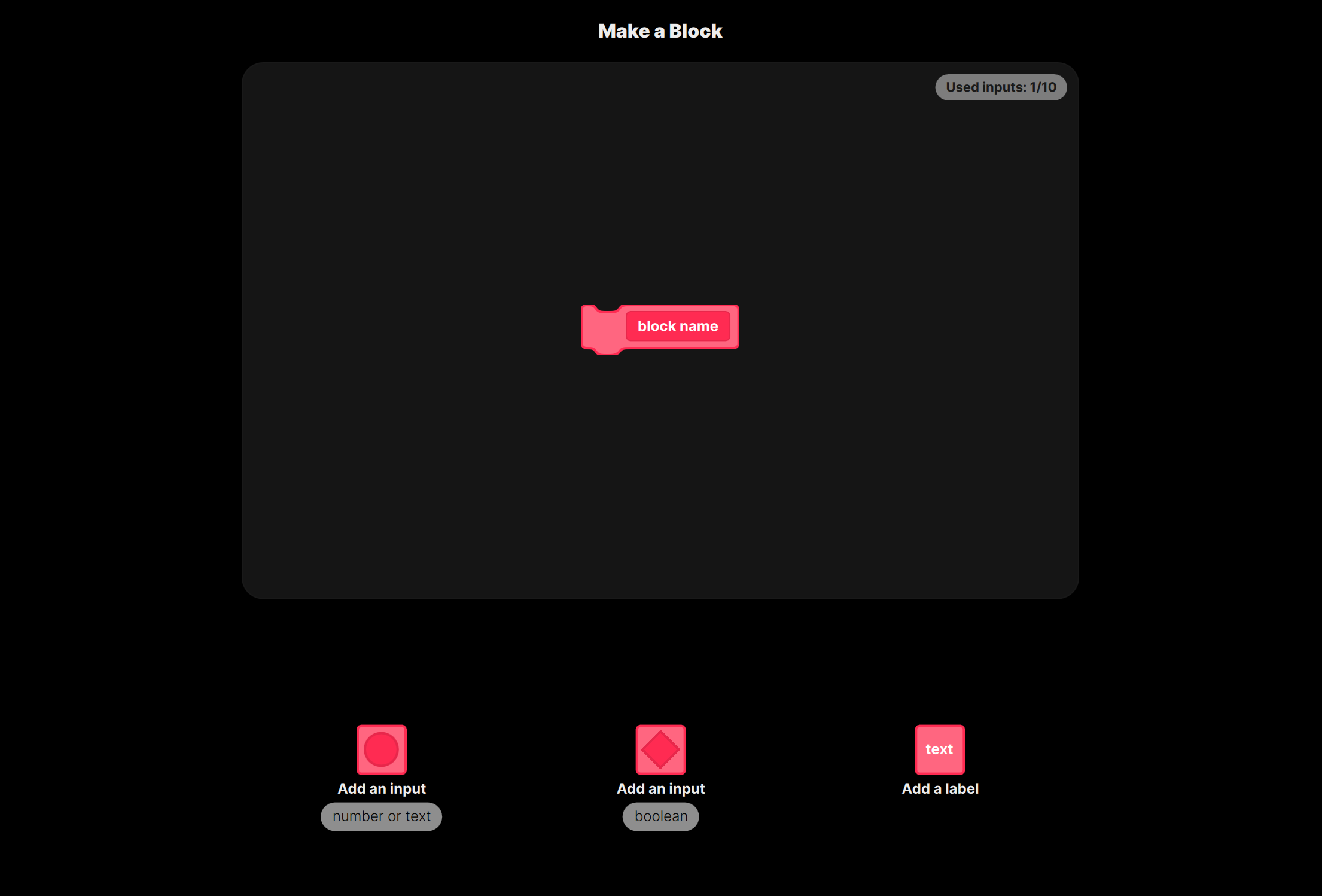
The Make a Block editor is used to design your custom block signature. You can add labels and inputs (for example number/text and boolean inputs), then define implementation logic in the block definition stack.
Why use My Blocks
- Reusability: write once, call many times.
- Readability: replace long repeated stacks with one meaningful name.
- Maintainability: update logic in one place instead of many copies.
- Structure: split large programs into smaller logical units.
Notes
- Custom blocks are project-level and intended for reuse inside the same profile/project context.
- Prefer descriptive names that explain intent, not implementation details.